

Advanced Custom Fields (ACF) Repeater fields are one of the most powerful tools for building structured and repeatable content in WordPress. However, displaying repeater fields in the WordPress block editor (Gutenberg) has traditionally required custom PHP loops, theme edits, or custom blocks.
In this article, you’ll learn how to load and display ACF Repeater fields directly in the block editor using Blocks for ACF Fields, without writing any code. This approach works visually, integrates seamlessly with Gutenberg, and is fully compatible with the Site Editor.
Why ACF Repeater Fields Are Difficult in the Block Editor
ACF Repeater fields store multiple rows of data, where each row contains several sub fields. In classic WordPress themes, repeater fields are usually rendered using PHP functions like have_rows() and the_sub_field().
This creates several challenges in the block editor:
- Repeater fields don’t appear automatically as blocks
- You must write PHP to loop through the rows
- Layout changes require code edits
- Custom blocks add maintenance overhead
For block-based workflows and Full Site Editing, this quickly becomes inefficient.
What You Need Before Getting Started
Before loading a repeater field in the block editor, make sure you have:
- WordPress with the Block Editor (Gutenberg)
- Advanced Custom Fields installed
- Blocks for ACF Fields – Pro version
- An existing ACF Repeater field
Repeater fields are a Pro feature in Blocks for ACF Fields.
Creating an ACF Repeater Field (Quick Overview)
If you already have a repeater field, you can skip this step.
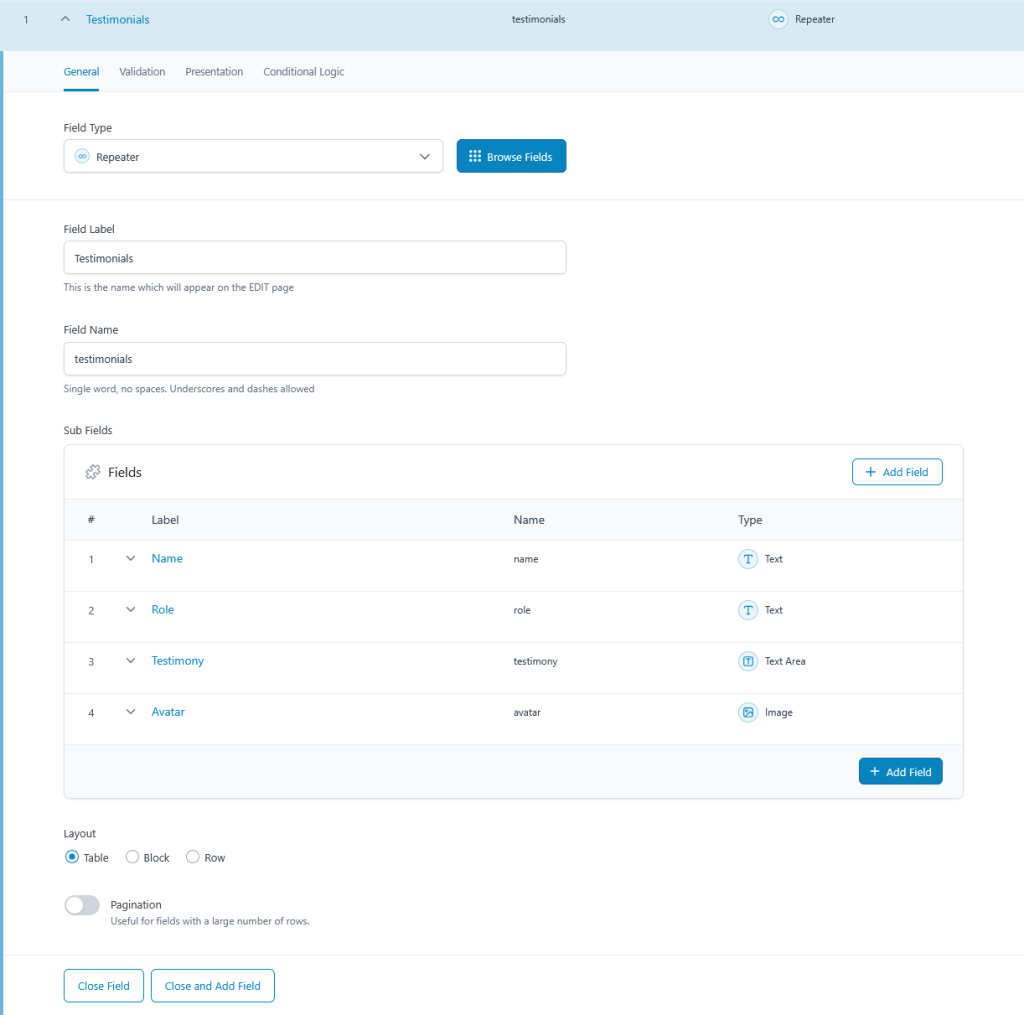
Example repeater setup in ACF:
- Repeater Field:
testimonials- Text:
name - Text:
role - Textarea:
testimony - Image:
avatar
- Text:
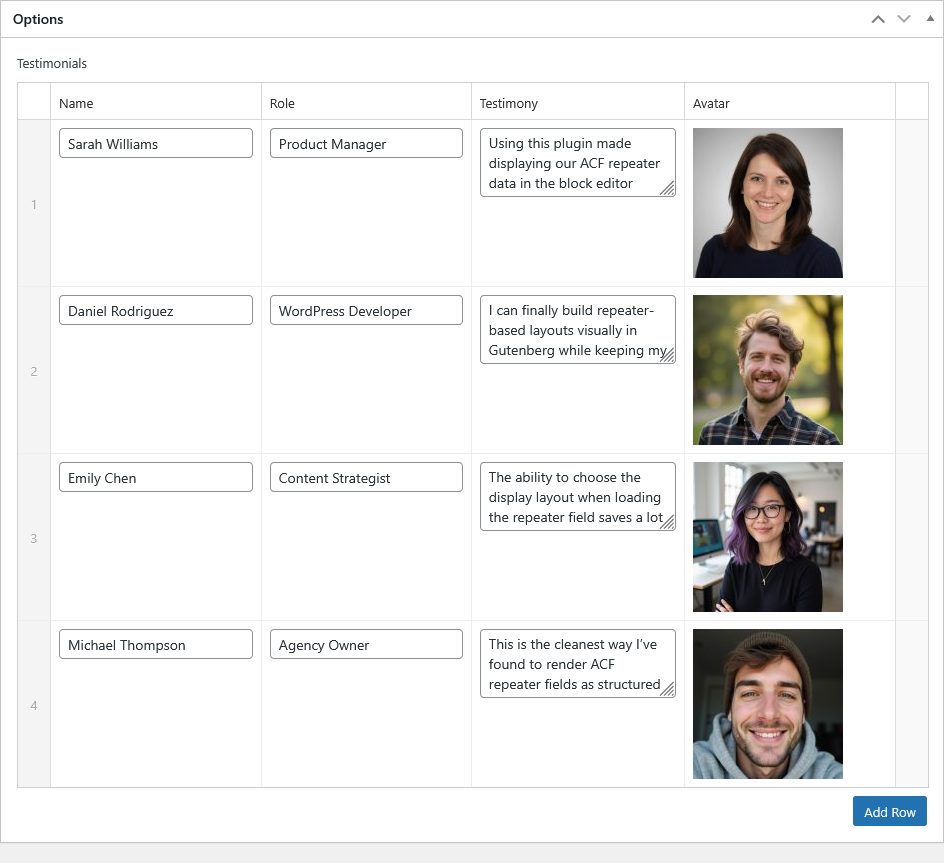
Each row represents one testimonial item. This structure is ideal for lists, grids, and carousels in modern layouts.
How Repeater Fields Work in the Block Editor
With Blocks for ACF Fields, repeater fields are treated as content loops.
Instead of returning a single value, the repeater field automatically loops through its rows. Each row becomes a repeatable container where you can load and style sub fields using blocks.
This means:
- No PHP loops
- No custom blocks
- No theme modifications
Everything happens visually inside the editor.
How to Load an ACF Repeater Field Using Blocks
This section explains the correct flow when working with repeater fields in Blocks for ACF Fields.
Step 1: Insert the ACF Field Block and Choose the Repeater Field
In the block editor:
- Insert the ACF Field block
- Open the block settings
- Choose your Repeater field from the field selector
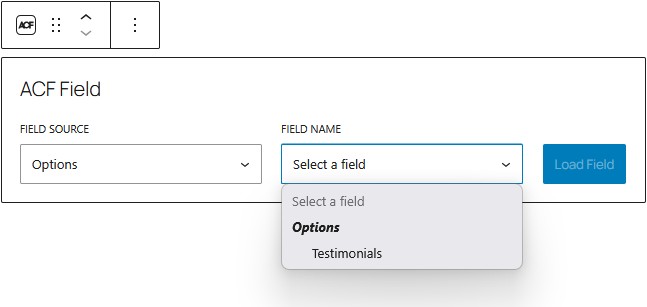
At this stage, the repeater field is loaded as a content loop, and this is also where you define how the repeater should be displayed.
Step 2: Choose the Repeater Display Type When Loading the Field
When a repeater field is selected, you will immediately see Display settings in the ACF Field block. Here, you choose how the repeater rows should be rendered:
- List
- Grid
- Carousel
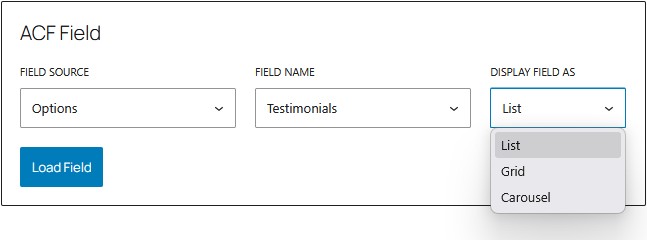
This choice determines the structure of the loop before any sub fields are added. The repeater field is transformed into a content loop at load time, and the selected display type controls how each row is rendered. This design keeps the behavior predictable and avoids layout conflicts later.
Step 3: Load Repeater Sub Fields Inside the Loop
After the repeater field and its display type are set, you can start loading sub fields:
- Insert the ACF Repeater Sub-Field block inside the repeater loop
- Select a sub field (for example: Title, Description, or Image)
- Repeat for other sub fields as needed
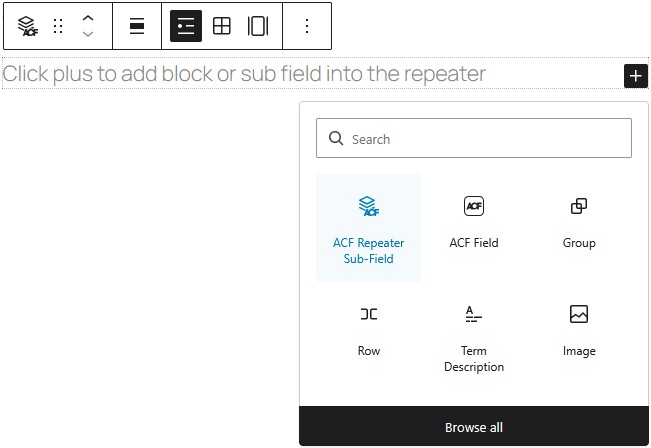
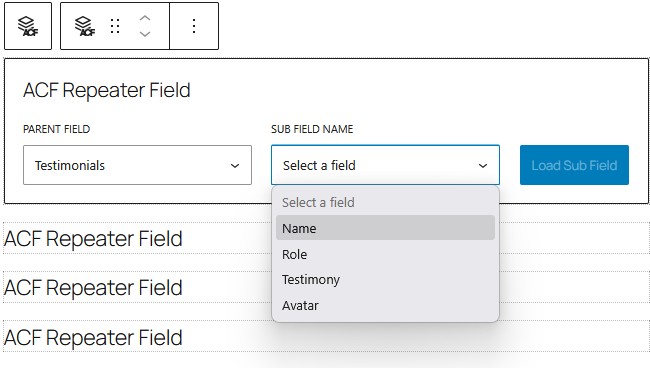
Each sub-field block automatically outputs the value from the current repeater row, respecting the display structure chosen earlier. You can freely combine sub-field blocks with core blocks like Group, Columns, or Cover.
Step 4: Styling and Customizing Repeater Output
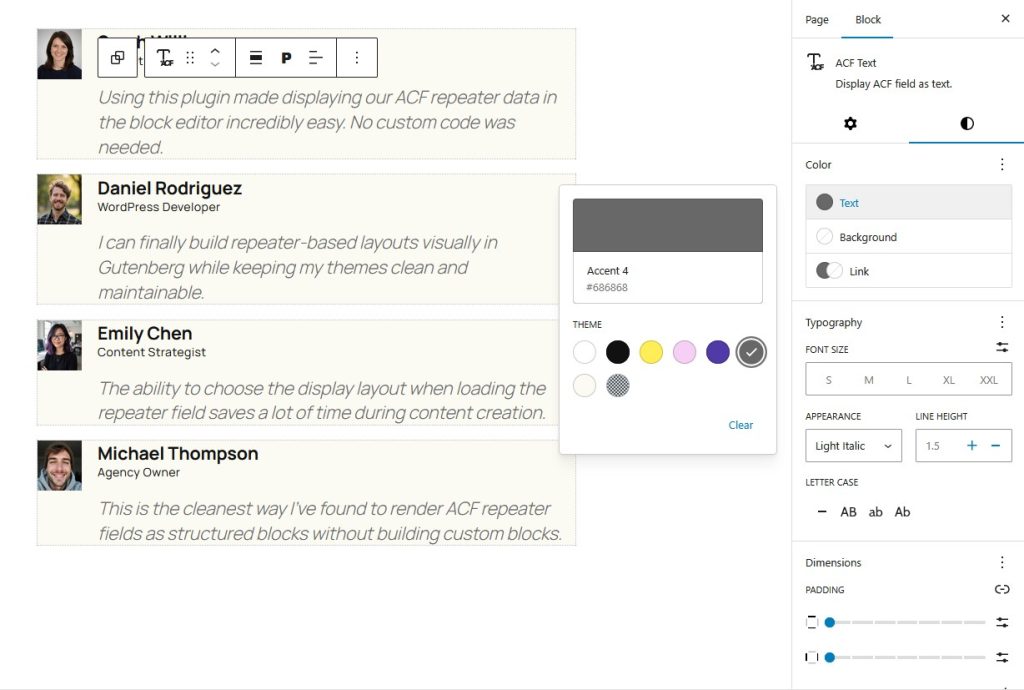
Because everything is block-based, you can style repeater content using standard Gutenberg controls:
- Typography
- Spacing and margins
- Alignment
- Backgrounds and borders
Conclusion
Displaying ACF Repeater fields in the WordPress block editor no longer requires custom code or complex setups. With Blocks for ACF Fields, repeater fields automatically become content loops that you can design visually using blocks.
If you want to build dynamic, repeatable layouts in Gutenberg while keeping full control over your design, this approach offers the cleanest and most future-proof solution.
To learn more advanced usage and configuration details, check out the official documentation:
Documentation