Display Options
Button
Displays the file as a clickable button, allowing users to open or download the file. This is ideal for actions such as “Download PDF” or “View Document”. The button follows your theme’s styling and can be customized using the block editor’s design settings.
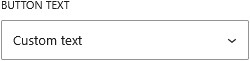
You can control the button label by choosing to display the file name or URL, enter custom text, or load the label dynamically from another field. This helps keep the interface clear while using the correct file reference in the background.
You can also enable the option to treat the button as a download link, prompting the file to be downloaded instead of opened in the browser.