Display Options
Text
Displays the True/False field as readable text instead of a raw boolean value.
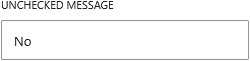
You can define custom text for both states, allowing you to replace true and false with labels such as “Yes” and “No”, “Enabled” and “Disabled”, or any wording that fits your context. This makes the output more user-friendly and easier to understand.
The text can be styled using typography settings such as font size, weight, and alignment. You can also apply text color, add prefix and suffix values, and wrap the output in different HTML elements such as headings to control its structure within your layout.